
Download Dalli Klick – Puzzle Game, Picture Puzzle, Educational App, Family Game, Classroom Tool
Overview
Dalli Klick is a mobile application designed to transform personal images into interactive picture puzzles, offering a creative and engaging experience for users across age groups. The app serves as a versatile tool for family gatherings, classroom activities, and informal group play, emphasizing accessibility and ease of use. By enabling users to generate custom puzzles from their own photos, Dalli Klick fosters visual recognition, problem-solving, and collaborative learning. Its primary purpose is to bridge entertainment with education, making it a valuable addition to both home and school environments.
The app targets families seeking screen-time activities that promote interaction, educators looking for low-tech, high-engagement classroom tools, and individuals interested in creative digital play. With a library of approximately 600 everyday object images, the application supports younger learners by providing familiar visual references, enhancing comprehension and retention. The developer, Dalli Klick, has positioned the app as a free-to-use platform with optional premium features, promoting broad accessibility without compromising core functionality.
Real-world applications include memory games during family game nights, visual learning exercises in elementary education, and team-building activities in group settings. Its role in the educational app ecosystem is notable, offering a simple yet effective way to integrate personal content into learning experiences. The app’s focus on customization and inclusivity makes it suitable for diverse user needs, reinforcing its value as a practical and engaging digital utility.
Key Features & Functionality
- User-Friendly Setup: The app features a streamlined interface that allows users to select image folders and adjust gameplay settings with minimal effort. This enables quick puzzle creation, ideal for spontaneous play or classroom preparation.
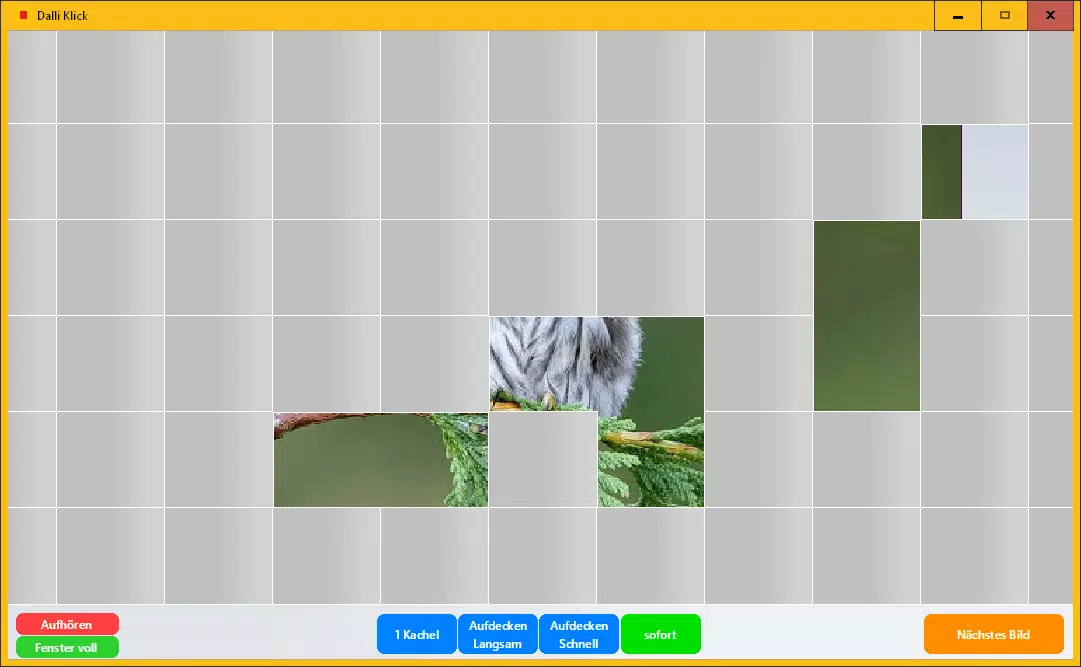
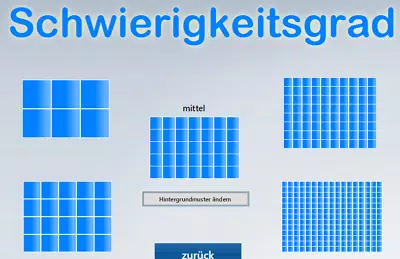
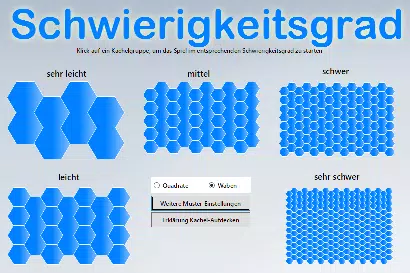
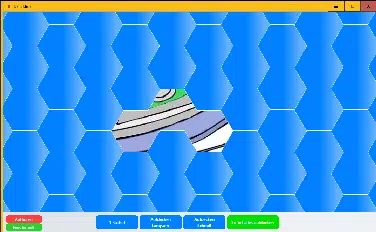
- Customizable Gameplay: Players can modify tile size, shape, and color, as well as choose between random or targeted tile revealing methods. This flexibility ensures varied gameplay experiences, catering to different age groups and skill levels.
- Free to Play: The base version is fully accessible at no cost, allowing users to explore core features without financial commitment. This supports trial and adoption, especially in educational and family contexts.
- No Hidden Costs: There are no recurring fees, subscriptions, or in-app purchases beyond the optional license code. This transparency enhances user trust and ensures predictable usage.
- Educational Value: The inclusion of everyday object images supports early learning objectives such as object recognition, vocabulary building, and visual memory. The app has been used in elementary classrooms, demonstrating its practical utility in structured learning environments.
For example, a teacher might use a photo of classroom supplies to create a puzzle that reinforces vocabulary, while a parent could turn a family vacation photo into a fun challenge for children. The ability to tailor puzzles to specific content makes Dalli Klick adaptable to various educational and recreational goals.
Interface, UX & Performance
The user interface of Dalli Klick is designed with simplicity and clarity in mind, focusing on intuitive navigation and visual accessibility. The layout emphasizes essential functions—image selection, puzzle customization, and game initiation—ensuring users can begin playing without confusion. Visual elements are clean and uncluttered, with consistent iconography and labeling that support quick comprehension.
Navigation flows logically from setup to gameplay, with minimal steps required to generate a puzzle. The app maintains a responsive interface across different screen sizes, though specific performance benchmarks were not provided. Although the developer did not list formal performance metrics, the app’s lightweight nature—12.8 MB in size—suggests efficient resource usage, which may contribute to smooth operation on a wide range of Android devices.
Stability appears to be a priority, as the app functions without reported crashes or errors in its current version. Users can expect consistent behavior during gameplay, with minimal lag or loading delays. The absence of complex animations or high-resolution graphics likely supports stable performance even on older or mid-tier devices. Overall, the UX is optimized for ease of use, making it suitable for children, educators, and non-technical users alike.
Platform Compatibility & Technical Requirements
Dalli Klick is available exclusively on the Android platform, making it accessible to users of Android smartphones and tablets. The current version is 1.0.3, with a file size of 12.8 MB, indicating a lightweight installation that conserves storage space. This compact size supports quick downloads and efficient operation, especially on devices with limited capacity.
While the developer did not specify minimum OS requirements or compatibility details beyond the platform, the app’s design suggests broad accessibility. It is likely compatible with most Android devices released in the past several years, though users are advised to check their device’s system specifications before installation. The absence of detailed technical requirements means users should rely on standard compatibility checks during the download process.
Pros and Cons
Pros
- Free to download and use, with no hidden fees or subscriptions
- Simple, intuitive interface suitable for all age groups
- Supports custom image creation for personalized puzzles
- Offers educational benefits for children and learners
- Lightweight file size (12.8 MB) ensures fast installation
Cons
- Only available on Android, with no iOS or other platform support disclosed
- Specific system requirements were not listed
- Advanced features require a separate license code, limiting full functionality
- Limited information on performance across different device types
- No official update frequency or release schedule provided
FAQ
Is Dalli Klick safe to download and install?
Yes, the app is available for free download and is designed to be secure. As a lightweight educational tool, it does not require sensitive permissions or access to private data.
Can I use my own photos to create puzzles?
Yes, the app allows users to select image folders from their device to generate custom picture puzzles using personal photos.
Are there in-app purchases or subscriptions?
No, there are no subscriptions or recurring fees. The only optional purchase is a license code to unlock additional features, which is not required for basic gameplay.
Is Dalli Klick suitable for classroom use?
Yes, the app has been used in elementary school classrooms as a tool for visual learning, vocabulary development, and interactive group activities.
How often is Dalli Klick updated?
The developer has not disclosed an official update schedule. Users should check for updates through the app store periodically.
Final Thoughts
Dalli Klick stands out as a thoughtful, accessible educational app that successfully blends play and learning. Its ability to convert personal images into customizable picture puzzles makes it a unique tool for families and educators alike. With a clean interface, no hidden costs, and strong educational value, it offers meaningful engagement for children and adults in shared settings.
While its availability is limited to Android and advanced features require a license, the core experience remains robust and free. The app’s lightweight design and intuitive flow ensure broad usability across devices. For those seeking a secure, creative, and interactive way to foster visual thinking and collaboration, Dalli Klick delivers real value.
Download Dalli Klick now


